
그 MSC 인증 이메일이 도착한 이유 — 그리고 무시하면 어떻게 되는가
당신은 방금 MSC 크루즈 할인에 가입했거나, Voyagers Club에 등록했거나, 얼리 액세스 프로모션을 신청했습니다 — 그리고 이제 msc promo verification email address 확인 메일이 받은편지함에 도착해 있습니다. 아마 네 가지 질문이 한꺼번에 떠올랐을 겁니다. 이게 진짜인가? 클릭하면 정말 할인이 열리는가? 링크 유효 시간을 놓치면 어떻게 되는가? MSC가 내가 사용한 주소를 거부하면 어떻게 되는가?
이 안내서는 MSC의 인증 관문을 처음부터 끝까지 다룹니다: 왜 존재하는지, 흐름이 어떻게 작동하는지, 실패의 원인은 무엇인지, 어떤 이메일 유형이 통과하는지, 문제를 어떻게 해결하는지, 그리고 자체 해결이 한계에 다다랐을 때 지원팀에 어떻게 문의를 상향하는지를 설명합니다. 목표는 첫 시도에서 깔끔하게 인증을 한 번에 끝내는 것 — 그리고 그 후 깔끔하게 결제를 마치는 것입니다.
목차
- MSC가 프로모션을 활성화하기 전에 이메일 인증을 요구하는 이유
- 단계별 안내: MSC의 이메일 인증 흐름이 실제로 작동하는 방식
- 가장 흔한 네 가지 MSC 인증 실패 진단하기
- MSC가 수락하는 이메일 유형(및 자동 거부되는 유형)
- 첫 시도에서 성공하기 위한 가입 전 및 인증 중 체크리스트
- 스스로 문제를 해결할 때와 MSC 지원팀에 상향할 때
- MSC 계정 보안 및 재인증 반복 루프 피하기
MSC가 프로모션을 활성화하기 전에 이메일 인증을 요구하는 이유
인증 단계는 관료적인 마찰이 아닙니다. 뒷받침하는 확실한 수치가 있는, 측정 가능한 사기 및 데이터 품질 관리 수단입니다. 비즈니스 메커니즘을 이해하면 왜 MSC가 msc promo verification email address 요구 사항에서 물러서지 않는지 — 그리고 왜 가장 쉬운 길이 깔끔하게 협조하는 것인지 알 수 있습니다.
프로모션 남용은 할인 캠페인에 대한 가장 큰 단일 위협입니다. Sift의 Digital Trust & Safety Index 2021년 1~2분기에 따르면, 프로모션 및 로열티 남용 — 특히 가짜 또는 일회용 이메일 주소를 통한 다중 계정 생성 — 은 일부 전자상거래 부문에서 전년 대비 100% 이상 증가했습니다. Riskified의 Fraud Trends 보고서는 영향을 받은 판매자에게서 전체 사기 사건의 10~25%가 프로모션, 쿠폰, 리워드 남용과 직접적으로 연관되어 있으며, 거의 항상 다중 계정과 일회용 이메일 주소를 수반한다는 것을 보여줍니다. 크루즈 및 여행 프로모션은 할인 하나당 달러 가치가 상당하기 때문에 특히 노출되어 있습니다.
데이터 품질 저하가 이 정책을 강화합니다. 1,239개 조직을 대상으로 한 설문 조사를 기반으로 한 Experian Data Quality의 Global Data Quality Research는 유효하지 않거나 품질이 낮은 이메일 주소가 전 세계 고객 데이터베이스의 약 22%를 차지한다는 것을 발견했습니다. Experian의 Global Data Management Benchmark Report는 기업이 저품질 데이터로 인해 평균 매출의 약 12%를 손실하며, 부정확한 이메일 주소가 상위 세 가지 원인 중 하나로 꼽힌다고 추정합니다. MSC에게 이는 인증되지 않은 모든 가입이 쓸모없는 데이터일 통계적 확률을 지니고 있다는 뜻이며 — 이를 잡아내는 가장 저렴한 곳은 데이터베이스에 들어오기 전입니다.
사전 인증은 최악의 신호를 상류에서 잡아냅니다. Arkose Labs의 Fraud & Abuse Report 시리즈는 Arkose Labs 연구에 따르면 소비자 앱에서 신규 계정 가입의 7~10%가 일회용 이메일, 불일치하는 IP/위치, 비정상적인 기기 지문과 같은 고위험 신호를 보인다고 언급합니다. 가입 시점에 필터링하는 것은 나중에 사기성 예약을 되찾는 것보다 약 한 자릿수 더 저렴합니다.
인증은 또한 애초에 프로모션 자금을 대는 마케팅 채널을 보호합니다. Data & Marketing Association의 Marketer Email Tracker는 이메일 ROI를 1달러 지출당 약 36~42달러로 추정합니다. MSC는 자신이 수집하는 모든 주소가 실제 사람에게 연결된 실제 메일함인지 확인하는 데 직접적인 재정적 이해관계가 있습니다 — 왜냐하면 각 주소는 향후 예약, 로열티 알림, 재참여 캠페인 전반에 걸쳐 측정 가능한 생애 가치를 지니기 때문입니다. Mailchimp의 Email Marketing Benchmarks에 따르면 확인된 옵트인(confirmed-opt-in) 목록은 단일 옵트인 목록보다 불만율이 몇 배 낮습니다. 더 깨끗한 목록은 받은편지함에 더 안정적으로 도달합니다. 안정적인 받은편지함 배치가 바로 다음 프로모션 이메일이 실제로 도착하게 만드는 요소입니다.
Validity의 참여 연구 부사장 Guy Hanson이 Validity의 State of Email 논평에서 언급했듯이: "깔때기 상단의 나쁜 데이터는 고객 생애 주기 전반에 걸쳐 비용을 증폭시킵니다." MSC의 인증 관문은 나쁜 데이터를 차단하는 가장 저렴한 방법입니다.
내부적으로 MSC의 검사에는 도메인 수준 신호(제출된 주소의 SPF/DKIM/DMARC 상태), 구문 검증, 일회용 도메인 블랙리스트가 포함됩니다. 많은 기업이 동일한 로직을 실시간 이메일 주소 검증 서비스에 아웃소싱하며, 이 서비스는 의심스러운 주소가 고객 데이터베이스에 닿기 전에 단일 API 응답을 통해 플래그를 지정합니다. MSC가 자체 구축하든 구매하든 메커니즘은 유사하며 — 정책적 결과는 동일합니다.
단계별 안내: MSC의 이메일 인증 흐름이 실제로 작동하는 방식
인증 흐름은 사용자 입장에서는 클릭 한 번처럼 보입니다. 그 이면에는 각 단계마다 특정 기술 표준이 뒷받침하는 6단계 파이프라인이 있습니다.
6단계 인증 파이프라인
1. 프로모션 가입 또는 결제 시 이메일 제출. MSC의 프로모션 랜딩 페이지, Voyagers Club 등록 양식 또는 결제 화면에서 주소를 입력하면 프론트엔드는 RFC 5322(인터넷 메시지 형식)에 따라 구문 검증을 실행합니다. 이는 양식이 전송되기도 전에 누락된 @ 기호, 잘못된 로컬 파트, 유효하지 않은 도메인 구조를 잡아냅니다.
2. 백엔드가 인증 이메일 발송을 트리거함. 인증 메시지는 MSC의 트랜잭션 이메일 서비스 제공업체에 전달되어 몇 초 내에 발송됩니다. Twilio SendGrid의 Email Benchmark & Engagement Study에 따르면, 정상적인 조건에서 트랜잭션 인증 이메일의 95% 이상이 1~2분 이내에 도착합니다. 그보다 오래 걸리는 것은 수신 측의 조절(throttling), 필터링 또는 인증 문제를 시사합니다.
3. 이메일이 받은편지함(또는 스팸함)에 도착함. 배치는 발신자 도메인 인증에 의해 결정됩니다: SPF(RFC 7208), DKIM(RFC 6376), DMARC(RFC 7489). 올바르게 구성된 레코드는 받은편지함 배치를 상당히 높입니다. 잘못 구성된 레코드는 — MSC 측이든, 회사 도메인을 운영한다면 당신 측이든 — 인증 이메일을 스팸이나 격리소로 보냅니다.
4. 사용자가 일회용 인증 링크를 클릭함. 링크는 OWASP Authentication Cheat Sheet에 따라 HTTPS 전용 일회용 토큰입니다. 일반적인 만료 시간은 24~48시간으로, 계정 인증 토큰에 대해 24~72시간을 권장하는 NIST SP 800-63B Digital Identity Guidelines와 일치합니다.
5. MSC 서버가 토큰을 검증하고 프로모션 자격을 활성화함. 서버는 토큰을 소비된 것으로 표시하고, 계정을 인증됨으로 플래그하며, 나머지 프로모션 조건(장바구니 최소 금액, 적용된 코드, 지리적 자격)이 충족되었다면 프로모션 자격을 활성화합니다.
6. 확인 화면과 후속 이메일. 브라우저는 인증 성공 페이지를 로드하고, 후속 이메일이 받은편지함에 도착하여 인증을 확인하고 프로모션 조건을 다시 명시합니다. 이 이메일을 저장하세요 — 지원팀에 상향해야 할 경우 인증의 가장 확실한 증거입니다.

각 결과가 실제로 어떻게 나타나는가
| 당신의 행동 | 일어나는 일 | 프로모션 상태 | 다음 단계 |
|---|---|---|---|
| 24~48시간 내에 인증 링크 클릭 | 토큰 소비됨; 계정 인증됨으로 플래그 | 활성 | 결제 시 프로모션 적용 |
| 제때 클릭하지 않음 | 토큰 만료됨; 인증 실패 | 비활성 | 새 인증 이메일 요청 |
| 이메일 하드 바운스(5xx SMTP) | MSC가 인증을 전달할 수 없음 | 차단됨 | 다른 메일함으로 변경 |
| 일회용/임시 이메일 제출 | 도메인 블랙리스트 플래그가 주소 거부 | 가입 시 거부됨 | 영구 ISP, Gmail 또는 회사 이메일 사용 |
| 다른 기기/IP에서 링크 클릭 | 대개 성공; 고위험 프로모션은 재확인 요청 | 조건부 | 모든 2차 인증 완료 |
매트릭스가 왜 이렇게 작동하는지 설명해 주기 때문에 알아둘 가치가 있는 몇 가지 기술적 사항이 있습니다. 5xx SMTP 응답 코드 — 특히 550(유효하지 않은 메일함) — 는 RFC 5321(SMTP)에 정의되어 있으며 하드 실패를 나타냅니다. MSC는 550을 우회하여 재시도할 수 없습니다; 주소에 도달할 수 없습니다. 일회용 토큰은 재생 공격을 방지하기 때문에 표준 OWASP 지침입니다: 인증 링크가 유출되더라도 정확히 한 번만 작동합니다. 24~48시간 만료 시간도 임의적인 것이 아닙니다 — 이는 NIST SP 800-63B가 사용자에게 행동할 충분한 시간을 주는 것과 링크가 가로채질 경우 공격 표면을 제한하는 것 사이에서 파악한 최적점입니다. 고가치 프로모션에서의 기기 또는 IP 재확인은 Arkose Labs 및 유사한 사기 방지 업체가 권장하는 계층적 방어 패턴을 반영합니다: 인증된 클릭 한 번은 필요하지만 수백 달러 가치의 프로모션에 대해 항상 충분한 것은 아닙니다.
가장 흔한 네 가지 MSC 인증 실패 진단하기
대부분의 실패는 네 가지 패턴으로 나뉩니다. 각각에는 예측 가능한 원인과 빠른 해결책이 있습니다.
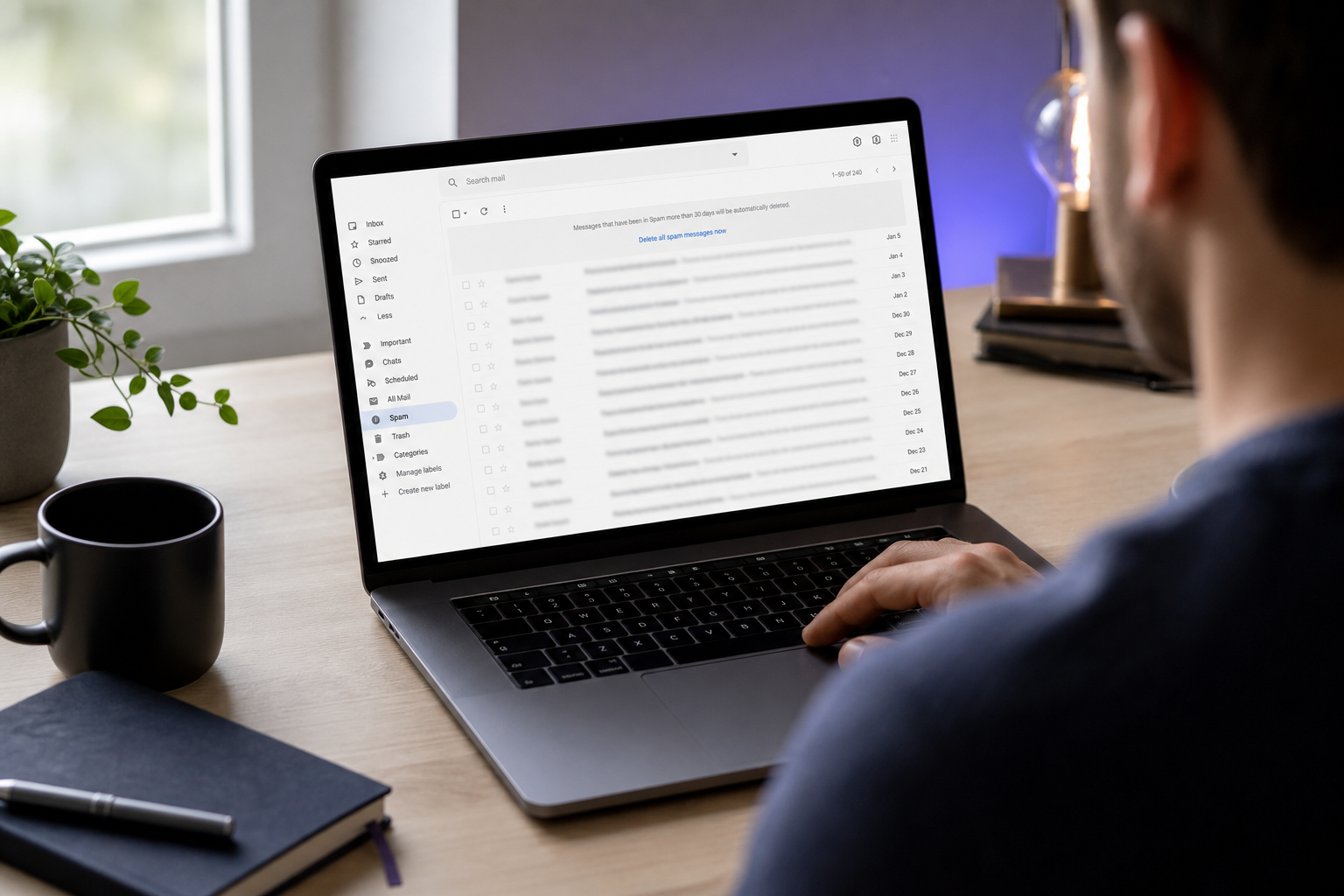
- "인증 이메일을 전혀 받지 못했어요." 흔한 네 가지 원인: 스팸 필터 라우팅, 가입 시 오타, ISP 조절, 또는 ESP 큐 지연. 먼저 스팸, 프로모션, 업데이트 탭을 확인하세요 — Gmail의 탭 받은편지함은 트랜잭션 메일의 상당 부분을 기본 보기에서 다른 곳으로 돌립니다. 미전달로 판단하기 전에 Twilio SendGrid 벤치마크에 따른 1~2분 시간을 충분히 기다리세요. 가입 시 철자를 확인하고 재발송을 요청하세요. 고급 필터 규칙에서 MSC의 발신 도메인을 화이트리스트에 추가하세요. 회사 메일함을 사용 중이라면, 외부 트랜잭션 발신자가 격리되고 있는지 IT에 문의하세요 — 엄격한 Microsoft 365 대량 발신자 필터링은 합법적인 인증 메일을 정기적으로 잡아 관리자 검토를 위해 보류합니다.
- "클릭하기 전에 인증 링크가 만료됐어요." OWASP Authentication Cheat Sheet 지침과 NIST SP 800-63B에 따르면, 일회용 인증 토큰은 일반적으로 24~48시간 내에 만료되며, MSC는 그 규범을 따릅니다. 해결책: 원래 가입 페이지나 프로모션 랜딩 URL로 돌아가 새 인증 이메일을 요청하세요. 오래된 링크를 클릭하지 마세요 — 로드되는 것처럼 보여도 토큰은 이미 소비되었거나 만료되어 오류를 발생시킵니다. 프로모션 마감이 촉박하다면(플래시 세일, 만료되는 Voyagers Club 등급 업그레이드), 클릭이 유효 시간 내에 충분히 이루어지도록 가입 후 2~4시간에 휴대폰 알림을 설정하세요.
- "제 이메일이 유효하지 않거나 일회용으로 거부됐어요." MSC의 검증 스택은 구문 검증(RFC 5322), DNS/MX 조회, 일회용 도메인 블랙리스트를 계층화합니다 — ZeroBounce, NeverBounce, BriteVerify를 포함한 검증 업계 전반에 걸쳐 문서화된 동일한 계층적 접근 방식입니다. 10MinuteMail, Guerrillamail, Mailinator 또는 유사한 일회용 주소를 사용했다면 영구 메일함으로 전환하세요. 합법적이지만 특이한 ISP나 회사 캐치올(catch-all)을 사용했는데도 거부되었다면, 그것은 배달성 컨설팅 업체 Word to the Wise가 언급한 알려진 오탐(false-positive) 패턴입니다 — 정확한 주소와 오류 텍스트를 가지고 MSC 지원팀에 문의하세요.
이메일 인증 실패는 거의 항상 오타, 스팸함 누락 또는 만료된 링크 때문이며 — 시스템 오류가 아닙니다. 가입 전 30초간 주소를 다시 확인하는 것만으로 대부분의 인증 문제를 예방할 수 있습니다.
- "인증에 성공했는데 프로모션 할인이 적용되지 않았어요." 인증은 주소를 확인하는 것이지 프로모션을 활성화하는 것이 아닙니다. 프로모션 활성화는 일반적으로 결제 시 추가 코드, 최소 장바구니 또는 예약 금액, 지리적 자격, 또는 첫 고객 자격을 요구합니다. 확인 이메일의 프로모션 조건을 주의 깊게 다시 읽으세요. 조건이 충족되었는데도 할인이 여전히 적용되지 않는다면, 문제는 이메일 인증이 아니라 프로모션 구성입니다 — 그리고 티켓은 계정 인증팀이 아니라 MSC의 프로모션 또는 예약 지원팀으로 라우팅되어야 합니다. 이 티켓들을 혼동하면 해결에 24~48시간이 추가되는 경우가 많습니다.
MSC가 수락하는 이메일 유형(및 자동 거부되는 유형)
수락/거부 로직은 무작위가 아닙니다. 프로모션 예산 보호의 경제학과 일회용 이메일 인프라의 기술적 현실을 반영합니다.
ZeroBounce와 NeverBounce 벤치마크 보고서는 게임, 전자상거래, 암호화폐 같은 고위험 부문에서 공개 가입 양식을 통해 제출된 주소의 3~7%가 알려진 일회용 또는 메일드롭 도메인에서 나온다는 것을 보여줍니다. MSC의 프로모션 가입은 정확히 그 고위험 범주에 속합니다. 왜냐하면 재정적 유인 — 할인된 크루즈 예약, 로열티 포인트 부스트, 얼리 액세스 가격 — 이 전자상거래 쿠폰을 노리는 것과 동일한 다중 계정 생성 행위를 끌어들이기 때문입니다.
일회용 이메일 서비스는 기술적으로 몇 시간 내에 자체 삭제되는 자동 생성 받은편지함을 발급하여 작동합니다. 10MinuteMail, Guerrillamail, Mailinator, EmailDrop, Temp-Mail 같은 도메인은 타이머가 끝나면 복구할 수 있는 계정을 남기지 않습니다. 단 한 명의 사기꾼이 계정당 프로모션을 반복적으로 신청하기 위해 이런 것을 수백 개 생성할 수 있습니다. 보안 연구원 Dr. Markus Jakobsson은 인센티브 사기에 관한 연구에서 이 패턴을 문서화하며, 사기꾼들이 프로모션 구조를 악용하기 위해 일회용 신원을 정기적으로 생성한다는 점, 그리고 이메일 인증을 포함한 계층적 방어가 남용 방지에 필수적이라는 점을 언급했습니다.
합법적인 사용자의 경우도 인정할 만합니다. 이메일 프라이버시에 관한 Electronic Frontier Foundation 논평은 일부 소비자가 스팸과 추적을 피하기 위해 일회용 주소를 사용한다고 언급하며 — 이는 정당한 프라이버시 선택입니다. MSC의 정책은 그 선호보다 프로모션 예산 보호에 더 무게를 두는데, 이는 기술적 결정이라기보다 비즈니스 결정입니다. 프라이버시를 중시하는 사용자를 위한 실용적인 우회 방법은 전용 영구 주소입니다: 프로모션 가입에만 전용으로 사용하는 별도의 Gmail 또는 Outlook 계정입니다. 일상적으로 쓰는 주소가 아니더라도 영구 메일함이기 때문에 인증을 통과합니다.
일회용 이메일 도메인은 당신의 프라이버시를 보호하기 위해 존재하지만, MSC의 사기 방지는 그들의 프로모션 예산을 보호하기 위해 존재합니다. 두 목표가 충돌하며 — MSC의 가입 양식에서는 사기 방지가 이깁니다.
기업은 API를 통해 동일한 거부 로직을 구현할 수 있습니다 — 일회용 이메일 주소 검사기는 이런 도메인들이 고객 데이터베이스에 들어가기 전에 실시간으로 플래그를 지정합니다. 이 검사는 밀리초 단위로 이루어지며 사기성 가입이 다운스트림 리소스를 소비하는 것을 방지합니다.
이메일 유형별 수락/거부 매트릭스
| 이메일 유형 | 예시 | MSC 수락 | 이유 |
|---|---|---|---|
| 개인 Gmail / Outlook / Yahoo | name@gmail.com | 예 | 영구 메일함, 신원에 연결됨 |
| 회사 도메인 | name@company.com | 예 | 검증된 비즈니스 도메인, 낮은 사기 위험 |
| ISP / 브로드밴드 이메일 | name@comcast.net | 예 | 활성 브로드밴드 계정에 연결됨 |
| Apple iCloud / Hide My Email 별칭 | xyz@icloud.com | 예 | 영구, Apple 인증됨 |
| 일회용 / 임시 메일함 | u@10minutemail.com | 아니오 | 자동 삭제됨; 블랙리스트에 플래그됨 |
| 무료 일회용 별칭 서비스 | u@guerrillamail.com | 아니오 | 무한 재생성 가능; 남용 벡터 |
| 캐치올 전달 도메인 | anything@mydomain.com | 때때로 | MX 검사는 통과할 수 있으나 정책 휴리스틱에서 실패할 수 있음 |
캐치올 행은 한 번 더 살펴볼 가치가 있습니다. 캐치올 도메인은 주어진 도메인에서 임의의 로컬 파트를 수락합니다 — 개인 전달 설정에는 유용하지만 SMTP 계층에서는 일회용 인프라와 구별할 수 없습니다. MSC의 정책 휴리스틱은 도메인 연령이나 이전 가입 이력 같은 추가 신호에 따라 이를 조건부로 플래그하여 때로는 수락하고 때로는 거부할 수 있습니다.
첫 시도에서 성공하기 위한 가입 전 및 인증 중 체크리스트
순서대로 실행하는 두 개의 체크리스트가 3장의 거의 모든 실패 패턴을 제거합니다.
가입 전 체크리스트
- 영구 기본 메일함을 사용하세요 — Gmail, Outlook, iCloud, 회사 또는 ISP. 일회용 별칭은 안 됩니다.
- 이메일 주소 철자를 다시 확인하세요. 가입 시 오타는 데이터 입력 오류율에 관한 Experian Data Quality 연구에 따르면 미전달의 주요 원인입니다.
- 메일함이 가득 차거나 정지되지 않았는지 확인하세요. 가득 찬 받은편지함은 인증을 지연시키거나 차단하는 소프트 바운스를 발생시킵니다.
- 회사 계정을 사용한다면, IT가 외부 트랜잭션 발신자를 격리하고 있지 않은지 확인하세요. 이는 엄격한 Microsoft 365 피싱 방지 정책에서 흔합니다 — Microsoft의 대량 발신자 지침은 합법적인 트랜잭션 메일을 잡는 필터링 동작을 문서화하고 있습니다.
- 가입 양식을 제출하기 전에 MSC의 발신 도메인을 안전한 발신자 목록에 추가하세요.
- 이메일 클라이언트를 별도의 브라우저 탭에 열어두세요. 모바일 통신사 처리로 지연될 수 있는 휴대폰 푸시 알림에 의존하지 마세요.
- 가입 후 2~4시간에 휴대폰 알림을 설정하세요. OWASP 및 NIST 지침에 따른 24~48시간 만료 시간 내에 충분히 링크를 클릭하세요.
인증 중 체크리스트
- 가입 후 마지막 몇 시간이 아니라 처음 몇 시간 내에 인증 이메일을 여세요.
- 이메일에서 직접 링크를 클릭하세요. 주소창에 복사-붙여넣기 하지 마세요 — 토큰 URL 조각은 수동으로 옮길 때 손상될 수 있습니다.
- 브라우저 탭을 닫기 전에 확인 페이지가 완전히 로드될 때까지 기다리세요. 조기에 닫으면 서버 측 플래그 업데이트가 중단될 수 있습니다.
- 나중에 지원팀 상향이 필요한 경우 증거를 위해 확인 화면을 스크린샷하세요.
- 후속 확인 이메일이 받은편지함에 있는지 확인하세요. 이는 인증을 확인하고 프로모션 활성화 조건을 서면으로 명시합니다.
Baymard Institute 결제 UX 연구는 인증 단계가 즉각적인 전환율을 몇 퍼센트 포인트 감소시키지만 장기적인 계정 품질과 반복 참여를 높인다는 것을 보여줍니다. 실제로 60초의 인증 마찰은 프로모션이 실제로 작동하게 만드는 비용입니다. M3AAWG 모범 사례는 인증 이메일이 몇 초에서 1~2분 이내에 도착하도록 권장하며 — 5분을 넘어 지연된다면 그것은 뭔가 잘못되었다는 신호(스팸 필터, 잘못된 주소, ISP 조절)이며 가장 빠른 조치는 더 기다리는 것이 아니라 재발송 절차를 시작하는 것입니다.
스스로 문제를 해결할 때와 MSC 지원팀에 상향할 때
언제 상향할지 아는 것이 해결 시간을 절반으로 줄입니다. 아래 매트릭스는 각 실패 모드를 올바른 조치에 매핑합니다.
| 문제 | 먼저 자체 해결 시도 | 상향해야 할 때 | 준비해 둘 정보 |
|---|---|---|---|
| 인증 이메일을 전혀 받지 못함 | 예 — 스팸 확인, 5분 대기, 재발송 | 24시간에 걸쳐 재발송 2~3회 실패 후 | 이메일 주소, 가입 타임스탬프, 스크린샷 |
| 인증 링크 만료됨 | 예 — 새 링크 요청 | 재발송도 사용되지 않고 만료될 경우에만 | 원래 가입 이메일, 시도 이력 |
| 이메일이 유효하지 않음/일회용으로 플래그됨 | 부분적으로 — 다른 메일함 시도 | 여러 합법적 주소가 모두 거부됨 | 시도한 주소, 정확한 오류 텍스트 |
| 인증되었으나 프로모션이 활성화되지 않음 | 예 — 프로모션 조건 다시 읽기 | 조건이 충족되었으나 할인이 여전히 누락됨 | 예약 번호, 프로모션 코드, 인증 스크린샷 |
| 실패 시도 후 계정 잠김 | 아니오 — 즉시 지원팀 문의 | 추가 인증 시도 전에 | 계정 이메일, 표시된 오류 코드 |
MSC 지원팀은 헬프 센터, 전화, 그리고 (MSC 크루즈의 경우) Voyagers Club 계정 포털에 연결된 라이브 채팅을 통해 연락할 수 있습니다. 응답 시간은 일반적으로 이메일 티켓의 경우 24~48시간입니다. 자격 기간이 만료되는 시간 민감성 프로모션에는 전화가 더 빠릅니다 — 프로모션 기간이 48시간 내에 마감된다면 이메일을 건너뛰고 직접 전화하세요.
기술적 문제가 지속될 때 지원 상담원이 주소를 수동으로 인증할 수 있지만, 자체 해결 시도를 문서화한 경우에만 가능합니다. 스팸함 스크린샷, 재발송 타임스탬프, 정확한 오류 메시지 텍스트를 가지고 도착하면 일반적으로 해결이 다중 처리에서 단일 처리로 줄어듭니다. 모호한 보고("작동하지 않았어요")는 매번 문서화된 보고 뒤에 대기하게 됩니다.
MSC 지원팀은 당신이 증거를 가지고 도착할 때 인증 문제를 가장 빠르게 해결합니다. 스팸함 스크린샷, 재발송 타임스탬프, 정확한 오류 텍스트는 모호한 불만을 단일 처리 티켓으로 바꿉니다.
한 가지 중요한 구분: 인증은 성공했지만 결제 시 프로모션 할인이 적용되지 않았다면, 그것은 이메일 인증 문제가 아니라 프로모션 조건 문제입니다. 계정 인증팀이 아니라 특별히 MSC의 프로모션 또는 예약 지원팀으로 라우팅하세요. 계정 서비스 상담원은 종종 프로모션 자격 규칙을 무시할 수 없으며, 잘못 라우팅된 티켓은 해결에 하루를 추가합니다.
잠긴 계정의 경우 재시도를 멈추세요. 반복된 실패 인증 시도는 추가 사기 방지 보류를 트리거할 수 있습니다. Verizon Data Breach Investigations Report는 인증된 피싱 위험이 신호 패턴이 의심스러워 보일 때 플랫폼이 계정을 공격적으로 잠그도록 훈련시켰다고 언급하며 — MSC의 시스템도 마찬가지로 동작합니다. 멈추고, 잠금 오류를 문서화하고, 보류가 강화되기 전에 상향하세요.
MSC 계정 보안 및 재인증 반복 루프 피하기
인증을 한 번 통과하는 것은 입장권입니다. 그 인증된 상태를 안정적으로 유지하는 것이 모든 향후 예약, 프로모션 알림, 로열티 업데이트를 마찰 없이 도착하게 만드는 것입니다.
인증된 이메일은 MSC에서 당신의 지속적인 신원입니다. 향후 로그인, 예약 확인, 프로모션 알림, Voyagers Club 포인트 업데이트가 모두 이 주소로 라우팅됩니다. 이를 일회성 양식 입력이 아니라 장기 자산으로 취급하세요. 오늘 손끝에서 가장 가까운 주소를 고르는 것보다 3년 후에도 실제로 접근할 수 있을 주소를 고르는 것이 더 중요합니다.
등록된 이메일을 함부로 변경하지 마세요. 주소를 업데이트하면 재인증이 트리거되며, 이는 새로운 24~48시간 토큰 주기와 프로모션 자격이 일시 중지될 수 있는 짧은 기간을 의미합니다. 변경해야 한다면 계정 설정 포털에서 하세요 — 결제 시 새 이메일을 다시 입력하지 마세요. 결제 시 다시 입력하면 중복 계정이 생성될 수 있으며, 사기 방지 시스템이 이를 검토 대상으로 플래그하고, 이는 당신이 완료하려던 예약을 지연시킬 수 있습니다.
피싱 사칭에 주의하세요. 합법적인 MSC 인증 및 프로모션 이메일은 RFC 7208/6376/7489에 따른 SPF, DKIM, DMARC 정렬을 갖춘 MSC의 인증된 도메인에서 옵니다. 그러나 인증된 피싱 — 공격자가 유사 도메인을 통해 브랜드 신원을 스푸핑하는 것 — 은 Verizon DBIR에 따르면 점점 흔해지고 있습니다. 클릭하기 전에 링크 위에 마우스를 올려두세요. 실제 목적지 URL을 검사하세요. 발신 주소를 한 글자씩 확인하세요: msc.com 대 msc-promos.com은 부주의한 스캐닝을 통과하는 전형적인 유사 도메인 패턴입니다. Adobe의 글로벌 배달성 디렉터 Alyssa Nahatis는 트랜잭션 인증 메시지가 피싱 혼동을 줄이기 위해 명확한 브랜딩을 담아야 한다고 강조했지만 — 그럼에도 독자는 여전히 시각적 확인을 해야 합니다.
MSC의 발신 도메인에 대한 메일함 알림을 활성화하세요. 시간 민감성 프로모션 활성화 — 제한 시간 할인 코드, Voyagers Club 등급 플래시 세일, 막판 객실 업그레이드 — 는 몇 시간 내에 사라질 수 있습니다. MSC 도메인에 대한 알림 규칙은 이런 메시지들이 다음 날 아침이 아니라 여전히 실행 가능할 때 당신이 볼 수 있도록 보장합니다.
메일함 상태를 유지하세요. 가득 찬 받은편지함이나 정지된 메일 계정은 향후 MSC 트랜잭션 메시지를 하드 바운스시킵니다. M3AAWG 모범 사례에 따르면, 발신자는 일반적으로 단일 하드 바운스 후 주소를 억제(suppress)합니다. 이는 MSC가 당신에게 이메일을 완전히 중단할 수 있다는 뜻입니다 — 향후 프로모션 제안과 예약 확인을 포함하여 — 작동하는 주소를 재인증할 때까지 말입니다. 주기적인 받은편지함 정리는 조용한 억제에 대한 가장 저렴한 보험입니다.
이메일이 침해되면 빠르게 조치하세요. 이메일 비밀번호를 즉시 변경하고, 메일함에 이중 인증을 활성화하고, 연결된 계정을 플래그하도록 MSC의 계정 보안팀에 알리세요. 침해된 이메일은 계정 탈취로 가는 가장 흔한 경로인데, 인증과 비밀번호 재설정 흐름이 모두 이를 통해 라우팅되기 때문입니다. 처음 한 시간 동안은 철저함보다 조치 속도가 더 중요합니다.
비밀번호 관리자를 사용해 자격 증명을 분리하세요. MSC 계정 비밀번호는 이메일 비밀번호와 절대 같아서는 안 됩니다. OWASP Authentication Cheat Sheet 지침은 이메일 제공업체와 그를 통해 인증된 서비스 간의 자격 증명 재사용을 소비자가 저지를 수 있는 가장 영향력이 큰 보안 실패 중 하나로 지목합니다. 한 제공업체에서의 단일 침해가 그 메일함을 통해 인증된 모든 계정으로 연쇄됩니다.
장기적으로: MSC의 도메인을 안전한 발신자 목록에 유지하세요. 이는 제공업체가 필터링 정책을 강화할 경우 향후 프로모션 및 예약 확인 이메일이 스팸으로 라우팅되는 것을 방지합니다 — Gmail과 Microsoft 365는 게시된 대량 발신자 요구 사항에 따라 이를 주기적으로 강화합니다. 안전한 발신자 항목은 30초가 걸리며 제공업체가 앞으로 만드는 모든 정책 변경을 견뎌냅니다.
실용적인 관점은 간단합니다: 목표는 단지 인증을 한 번 통과하는 것이 아닙니다. 모든 향후 MSC