
A SaaS signup form captures 500 new users on Tuesday. The onboarding sequence fires Wednesday morning. By Thursday, 7 emails have hard-bounced — not from fake addresses or disposables, but from "gmial.com," "yaho.com," "hotmial.com." Those 7 users typed quickly on mobile, hit submit, moved on. They will never see the activation email. Some will return, blame the product, and churn. The rest vanish.
Every email typo in your capture funnel belongs to a real person who wanted in. This isn't fraud. This isn't bot traffic. This is the quiet 1–3% of every list that, according to ZeroBounce's analysis of over 4 billion addresses, shows up as typo domains — addresses that pass every regex check, look perfectly valid, and silently break your funnel before the first onboarding email arrives.

Table of Contents
- Why an Email Typo Is a Different Problem From a Fake or Disposable Address
- The Real Cost of Email Typos Across Five Business Models
- The Six Typo Patterns That Account for Most Bad Addresses
- Detection Methods Compared — What Actually Catches Typos at Capture
- A Typo-Resistant Registration Flow in Seven Decisions
- What Practitioners Actually Ask About Email Typos
Why an Email Typo Is a Different Problem From a Fake or Disposable Address
Start with the taxonomy, because the rest of the article depends on it. Three failure modes show up in every signup form, and they look similar in your bounce logs while requiring entirely different responses.
Typo addresses are legitimate users with mechanical input errors: gmial.com, yaho.com, hotnail.com, outlok.com. The person wants the email. They expect the activation link. They typed quickly, missed by one character, and the form accepted it. Every metric in your funnel will treat them as engaged-then-vanished users when they're actually unreachable-from-the-start users.
Disposable addresses are legitimate in format but intentional in avoidance: mailinator.com, tempmail.io, guerrillamail.com. The user is actively opting out of a relationship while appearing to opt in. They want the trial, the gated content, the discount code — not the lifecycle messaging. A dedicated disposable email address checker handles this category because the detection logic is fundamentally a domain-reputation lookup, not a proximity calculation.
Invalid or fake addresses are garbage strings, made-up domains, or bot submissions: [email protected], [email protected]. No human intent, no recoverable signal. Reject and move on.
These need different treatment at the registration boundary. A disposable should be blocked or downgraded to a guest tier. A typo should be flagged with a one-click correction prompt. A fake should be rejected with a generic error. Treating them as a single "bad email" category produces one of two failure modes: either you add friction to recoverable users by hard-blocking them, or you accept everything and absorb the bounce damage downstream. Both are expensive.
The reason regex validation cannot catch typos is structural, not implementation-specific. RFC 5321 and RFC 5322 define the syntax of an email address — allowed characters, quoting rules, domain format, length limits. The string "[email protected]" is fully RFC-compliant. The mailbox does not exist; the domain is registered to a typo-squatter; the user will never receive a single byte from your servers. But the string is valid. Regex operates on characters, not on DNS resolution or domain proximity. This is a category limit of pattern matching, not something you can fix with a better pattern.
A typo address is fully RFC-compliant, syntactically perfect, and structurally indistinguishable from a real one — which is exactly why your validation layer is letting it through.
The hidden volume is larger than most teams estimate. ZeroBounce's 4-billion-address dataset places typo domains in the 1–3% range of typical web-form captures. Kickbox's typo-domain research notes that mobile-heavy audiences skew toward the upper end of that range because touchscreen entry produces higher character-level error rates than physical keyboards. For a SaaS doing 10,000 signups per month at a 1.5% typo rate, that's 150 users every month who self-disqualified from every lifecycle email you send — activation, feature education, billing reminders, win-back.
Those 150 users flow through three downstream cost channels simultaneously. Onboarding sequences fire into a void, dragging trial-to-paid conversion. Transactional mail — password resets, receipts, two-factor codes — never arrives, generating support tickets at $5–15 each. Marketing campaigns accumulate hard bounces that erode your sender reputation across the entire domain, not just for the typoed addresses. The cost matrix in the next section quantifies each channel for five common business models.
The Real Cost of Email Typos Across Five Business Models
The same 1–3% typo rate produces dramatically different dollar damage depending on what email actually does in your business. A typoed B2B lead and a typoed e-commerce checkout fail in different ways, on different timelines, against different revenue baselines.
| Business Model | Primary Email Function Lost | Typo Rate Impact | Compounding Effect |
|---|---|---|---|
| SaaS free trial | Activation + onboarding sequence | 1–2% never start trial | 15–25% onboarding lift lost |
| E-commerce checkout | Order confirmation + shipping | 1–3% trigger support tickets | $5–15 per "where's my order" |
| Newsletter / content | Welcome + ongoing campaigns | 1–3% never confirm engagement | Bounce nears 2% danger zone |
| B2B lead generation | Lead nurture + sales handoff | 0.5–1.5% (desktop-heavy) | Lost MQL = full CAC wasted |
| Mobile-first consumer app | Account verification + re-engagement | 2–3%+ (mobile skew) | Compounds low mobile retention |
Typo rate sources: ZeroBounce 4-billion-address analysis and Kickbox typo-domain research. Onboarding lift figures from the Totango 2023 SaaS Metrics Report. Bounce thresholds from Mailchimp's deliverability benchmarks and M3AAWG Sender Best Common Practices. Mobile error rates from Azenkot and Zhai's MobileHCI text-entry research.
SaaS suffers the highest dollar-per-typo impact because the cost compounds across the entire customer lifecycle. Walk the math. Totango benchmarks place the lift from a structured onboarding email sequence at 15–25% over no sequence. A typoed user receives zero onboarding emails and reverts to baseline conversion. For a $50/month plan with 12-month average tenure, a 20-point conversion delta on each lost user represents roughly $120 in expected revenue per typoed signup. At 10,000 signups per month and a 1.5% typo rate, that's 150 users × $120 = about $18,000 per month in expected revenue silently lost — before counting referral, expansion, or word-of-mouth effects.
Every percentage point of undetected typos in your signup form is a percentage point of your onboarding investment that fires into a void.
E-commerce pays in support load, not just lost mail. Zendesk's customer service benchmark data places authentication and "I didn't receive my email" issues among the top categories of inbound tickets, frequently accounting for 15–30% of total volume. A meaningful share traces back to typoed capture, not deliverability failure on the sender's side. The customer typed gmial.com, the order confirmation hard-bounced, the customer assumes the order failed, and the ticket queues up at $5–15 to resolve manually.
Newsletter senders face reputation cascades. When 1–3% of new signups bounce hard, you accelerate toward the per-campaign bounce ceiling Mailchimp flags as the deliverability danger zone. The damage isn't isolated to the typoed addresses — ISPs apply filtering to your entire sending domain once bounce rates sustain above 2%. One bad capture cohort can suppress legitimate inbox placement for the next three campaigns.
The DMA's reported email ROI of $35–$42 per $1 spent (DMA Marketer Email Tracker) amplifies the cost calculation. Even small percentages of undelivered emails multiply against that leverage ratio. A 1.5% typo rate isn't 1.5% revenue loss — it's 1.5% of your sending investment producing zero output while the remaining 98.5% produces the published ROI. The asymmetry is what makes typos particularly worth fixing relative to their apparent size.
The Six Typo Patterns That Account for Most Bad Addresses
Typos are not random. They cluster into a handful of mechanical patterns driven by keyboard layout, mobile autocorrect behavior, and predictable cognitive shortcuts. Knowing the mechanism behind each pattern tells you what's deterministically correctable versus what needs user confirmation.
- Domain-level proximity typos (gmial, yhoo, hotnail). These follow QWERTY keyboard adjacency — "i" and "a" sit next to each other on the home row, the index finger slips, the form accepts the result. ZeroBounce identifies these as the single largest typo category in its 4-billion-address dataset. They are also the most recoverable: Levenshtein distance to the correct domain is 1, fuzzy matching against a short list of major providers catches them with high precision.
- TLD confusion (.co vs .com, .net vs .com, .om vs .com). Driven by mobile keyboards where ".com" is a single shortcut key that can be missed, and by users in markets with active country-code TLDs (.co.uk, .com.au) who muscle-memory their way into a wrong combination. Particularly damaging because ".co" is itself a valid TLD assigned to Colombia. Domain-existence checks pass cleanly. The mailbox almost certainly does not exist.
- Subdomain and provider swaps (outlook.com ↔ live.com, icloud ↔ icould, msn ↔ mns). Users misremember which Microsoft or Apple-era domain their account uses, especially after migrations. Higher prevalence in older user demographics where the original signup happened on a legacy provider. Fuzzy matching against a typo-domain registry catches these; regex doesn't.
- Doubled or dropped characters (aaccount, coom, gmaill, hotmai). Touchscreen autofill artifacts. Azenkot and Zhai's text-entry research documents systematically higher character-level error rates on touchscreens than on hardware keyboards, particularly for strings users don't visually proofread before submitting. Email fields are high-risk because they're long, non-dictionary, and visually dense.
- Mobile autocorrect overrides. Predictive text quietly "corrects" valid email fragments into common dictionary words ("gmail" → "gail," "outlook" → "outlooks"). The fix is structural rather than detective: input fields should declare
type="email"andautocomplete="email"to disable autocorrect at the OS level. Nielsen Norman Group's form-design guidance treats this as baseline practice for any high-error-risk field. - Whitespace and punctuation slips (trailing space, comma-for-period, doubled @). Often invisible to the user because the form field visually trims display, hiding the problem until SMTP rejects the address. Strip-and-normalize logic at capture eliminates the recoverable subset; the rest need explicit validation against the address grammar.
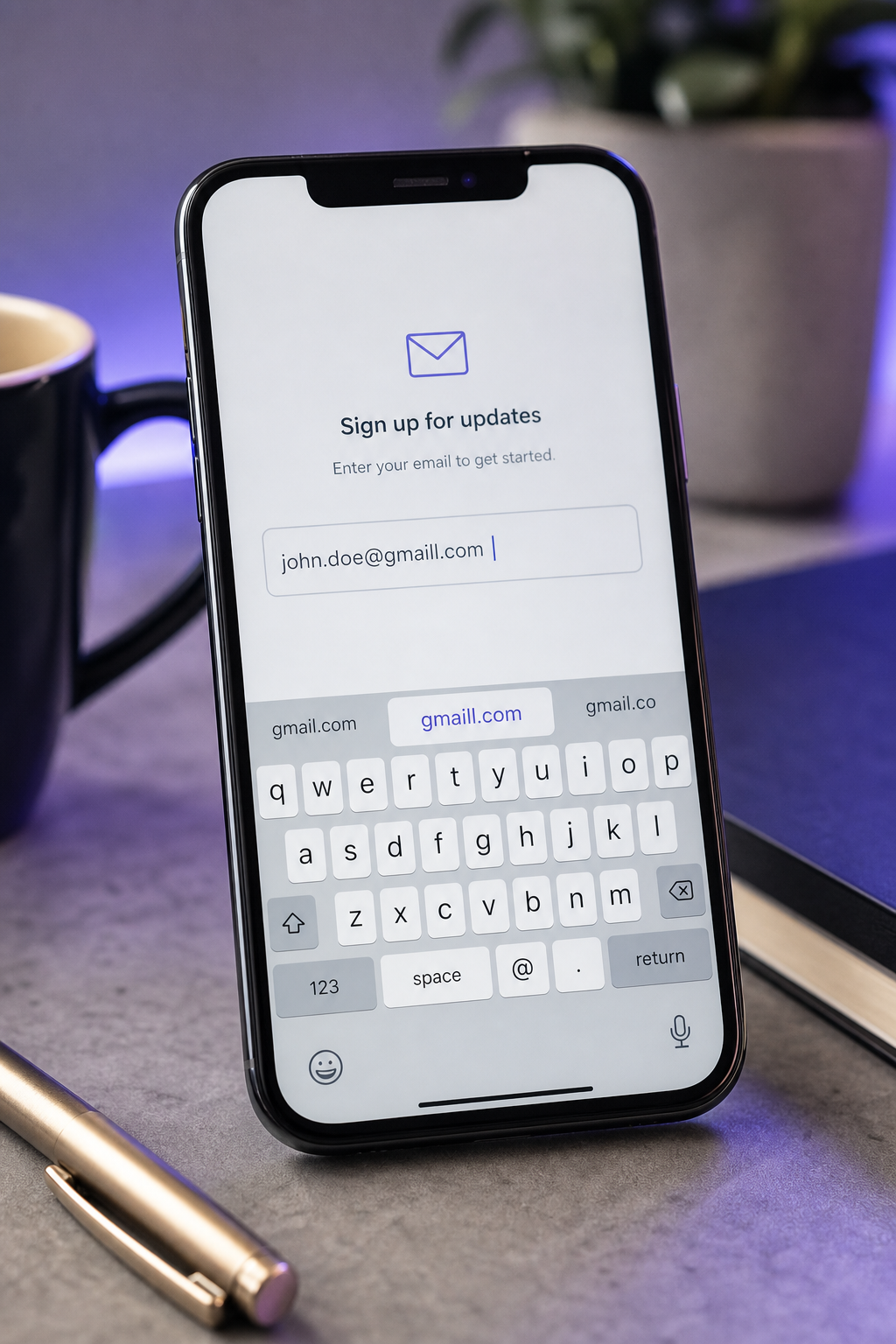
Of these six patterns, three are deterministically correctable from the address string alone (proximity, TLD, doubled characters), two require user confirmation because they're ambiguous (subdomain swaps, autocorrect overrides), and one is pre-empted at the input layer before any validation runs (whitespace). The remediation map matters because it sets the UX contract: which patterns warrant silent normalization, which warrant a "Did you mean?" prompt, and which warrant blocking with an error message.
Detection Methods Compared — What Actually Catches Typos at Capture
Most teams already have something validating their email field. The question is whether what they have actually catches the typo category as opposed to the syntax category. The five methods below cover the realistic option space.
| Method | Catches Typos | Real-Time | Friction Added | List Impact |
|---|---|---|---|---|
| Regex / RFC syntax check | No | Yes | None | None |
| Double opt-in confirmation | After bounce | No (async) | High | 20–40% shrinkage |
| Client-side fuzzy match | Partial | Yes | Low | Minimal |
| Domain MX record check | No | Yes | None | Low |
| Real-time verification API | Yes | Yes (sub-500ms) | Minimal | Minimal |
Double opt-in shrinkage figure: GetResponse single-vs-double opt-in study. Real-time API latency: NeverBounce API documentation. Three-layer validation architecture (syntax → MX → mailbox): ZeroBounce API documentation.
Regex is necessary but insufficient. It enforces RFC 5321 and 5322 cleanly, screens out obvious malformed strings, and runs in zero time on the client. Every typo address discussed earlier passes regex without flinching. Treat regex as your first filter, never as your only one.
Double opt-in is the most popular "solution" and the most expensive. GetResponse's study found double opt-in lists were 20–40% smaller than single opt-in lists — and the typoed users are mathematically guaranteed to be in the missing 20–40% because they cannot receive the confirmation email by definition. The mechanism is upside-down: confirmation emails diagnose the typo problem only after the user is already lost. You discover the typo when the confirmation message itself hard-bounces, by which point the user has closed the tab. Double opt-in still has value for permission and engagement filtering. It is not, in any meaningful sense, a typo-detection layer.

Client-side fuzzy matching ("Did you mean gmail.com?") is good UX, brittle as infrastructure. It requires maintaining a typo-domain dictionary, handling internationalized domains, and avoiding the failure mode documented by Baymard Institute in which legitimate country-code or corporate TLDs get flagged as typos. The dictionary ages. New mistype patterns emerge. Useful as a UI layer on top of a real verification call. Not a replacement for one.
MX record checks rule out non-existent domains but miss typo-of-real-domain cases. "gmial.com" is a registered, MX-resolving domain — that's exactly why it's a long-running typo trap. The squatter wants the traffic. MX checks catch fabricated domains; they don't catch the typo category this article is about. The check is cheap and worth running, but don't mistake passing it for being a real address.
Real-time verification APIs combine all four layers. The standard architecture documented by ZeroBounce and NeverBounce runs syntax → MX → mailbox-level probe → typo-domain flag → disposable-domain flag in a single sub-500ms call. The output isn't a binary pass/fail; it's a classified verdict the registration flow can branch on differently per category. A real-time email address validation call returns these signals as separate result codes, which is what lets you suggest for typos, block for disposables, and reject for invalids without writing five independent validators.
Latency is not an objection. NeverBounce's published response times of 100–500ms are below the perceptual threshold for UI lag, especially when the call fires on field blur rather than on submit. Users have already moved their attention to the next field; the suggestion appears when they glance back.
A Typo-Resistant Registration Flow in Seven Decisions
The architecture below is tactical, not theoretical. Each item is a decision the team makes once and codifies in the registration code path. The reasoning matters more than the specific syntax — adapt to your stack.
- Validate on blur, not just on submit. Run the verification call when the email field loses focus so the suggestion prompt appears before the user has mentally committed to the next field. Nielsen Norman Group's form research shows inline validation outperforms submit-time validation for error recovery because the user is still oriented to the field they just left. Submit-time errors require re-orientation and feel like punishment.
- Use a verdict-classified API response, not a boolean. The response should separate typo, disposable, role account, and invalid-mailbox flags so each can trigger different UI. Boolean "is_valid" responses force you to pick one treatment for five different problems, which is how teams end up blocking recoverable users. Vendor APIs structure responses this way for a reason.
- Suggest, don't auto-correct. For typo flags, render "Did you mean [email protected]?" as a one-click acceptance. Silent auto-correction violates user trust — Baymard's e-commerce form research shows users abandon when they catch a field changing under them — and it breaks for legitimate edge cases like corporate domains that look like typos but aren't.
- Block disposable separately from typo. A disposable signal warrants a hard block or a downgrade to a guest-tier account with limited features. A typo signal warrants a soft suggestion with a one-click fix. Treating both the same penalizes recoverable users while under-protecting against trial abuse. The branching cost is one extra conditional.
- Disable autocorrect at the input layer. Use
<input type="email" autocomplete="email" autocorrect="off" spellcheck="false">. This pre-empts the autocorrect-override pattern before any validation runs. It's a five-attribute change that eliminates an entire typo class. - Set hard-bounce thresholds and instrument them. M3AAWG and Mailchimp both advise aggregate hard bounces stay under 1% per campaign, with 2% being the deliverability danger zone. Alert on signup-cohort bounce rates above 1.5% — not just campaign-wide rates. Cohort-level bounce is a leading indicator that your capture-side validation is failing for a specific source, which campaign-wide averages will dilute.
- Log typo patterns and feed them back. Track which domains your users most frequently mistype. If your audience produces a recurring "yaho.com" or ".cm" pattern, you now know where to harden the suggestion logic. This closes the loop between capture-time detection and ongoing list-hygiene insight — and it lets you measure the actual delta from each validation change rather than guessing.

The flow as a whole takes one API integration and a handful of UI decisions. The compounding payoff is that every downstream system — onboarding, billing, support, marketing — operates on addresses that have already cleared the typo, disposable, and invalid filters at the boundary. You stop diagnosing list-quality problems in dashboards and start preventing them at the form.
What Practitioners Actually Ask About Email Typos
- Isn't a confirmation email already catching the typos? No — it diagnoses them, it doesn't catch them. GetResponse's single-vs-double opt-in comparison found 20–40% of users never confirm, and the typoed users are mathematically guaranteed to be in that missing group because they cannot receive the confirmation by definition. You learn about the typo only when the confirmation message itself hard-bounces, by which point the user has closed the tab and moved on. Real-time capture-side email address validation surfaces the typo while the user is still on the form and can fix it with one click. Confirmation emails remain valuable for permission and engagement filtering — they prove the user actually wanted to receive your mail. They are not, mechanically, a substitute for typo detection at capture. The two layers do different jobs and should coexist.
- If I auto-correct "gmial" to "gmail," am I overriding user intent? You're correcting a mechanical input error, not an intentional choice — but only if you confirm with the user. Baymard Institute's e-commerce form research shows silent corrections damage trust and break edge cases, particularly corporate domains and regional TLDs that look like typos but aren't (.co Colombia, .om Oman). The defensible pattern is a one-click suggestion: "Did you mean [email protected]? [Yes, use this] [No, keep mine]." This preserves user agency while making the correction frictionless. The user retains the final decision, the typoed address gets recovered in the 95%+ of cases where the suggestion is right, and the rare legitimate edge case has a clean override path. Silent rewrites optimize for the wrong metric and produce a worse experience for the long tail.
- What's the difference between a typo address and a disposable address — and why does it matter? A typo is a legitimate user with a mechanical error; a disposable is a user actively avoiding a relationship. The signals overlap downstream — both produce bounces, both reduce list quality, both hurt deliverability — but the response at capture should differ. Typos get a suggestion prompt because the user wants in. Disposables get blocked or downgraded because the user is opting out while appearing to opt in. A real-time API that flags them separately lets you route each appropriately without writing two parallel validators. Treating them identically either over-blocks recoverable users (if you hard-reject typos along with disposables) or under-protects against trial abuse (if you only soft-warn disposables along with typos). A dedicated disposable email address checker handles the disposable-specific detection layer; a typo-suggestion layer sits on top of it.
- How many of my signups actually have typos right now? Industry data converges on 0.5–2% for desktop-heavy B2B audiences and 2–3%+ for mobile-heavy consumer apps, with ZeroBounce's 4-billion-address dataset and Kickbox's typo-domain research as the two most-cited sources. To measure your own baseline rather than guess: pull the last 90 days of signups, cross-reference against your ESP's hard-bounce log, and isolate the bounces where the domain is one Levenshtein-character off a major provider (gmail, yahoo, hotmail, outlook, icloud, aol). That subset is your current typo rate. Run the same query again 30 days after deploying real-time validation to measure the delta cleanly. The before/after numbers are the only ones that matter for justifying the integration internally.
- Can I build typo detection myself without an API? Partially. A client-side fuzzy-matching script against a hardcoded list of common typo domains (gmial.com, yaho.com, hotnail.com, outlok.com, icould.com) catches the top 60–70% of cases at low cost — Levenshtein distance ≤ 2 against a list of 20 major providers covers a surprising share of the volume. The remaining cases require infrastructure: TLD-confusion handling, subdomain swap detection, mailbox-level non-existence probes, and a continuously updated typo-domain registry as new patterns emerge. The build-vs-buy threshold is usually whether your team wants to own dictionary maintenance, MX-checking infrastructure, and SMTP-level mailbox probes in perpetuity. For most teams, the API path is cheaper than the maintenance overhead, and the marginal coverage gain on the long-tail patterns is where the actual revenue lives — not in the top 60% any decent script handles on day one.