
Why That MSC Verification Email Showed Up — and What Happens If You Ignore It
You just signed up for an MSC Cruises discount, enrolled in Voyagers Club, or claimed an early-access promo — and now an msc promo verification email address confirmation is sitting in your inbox. Four questions probably hit you at once. Is this real? Will clicking it actually unlock the discount? What if you miss the link window? What if MSC rejects the address you used?
This walkthrough covers MSC's verification gate end-to-end: why it exists, how the flow works, what causes failures, which email types pass, how to troubleshoot, and how to escalate to support when self-help runs out. The goal is one clean verification on the first attempt — and a clean checkout after.
Table of Contents
- Why MSC Requires Email Verification Before Activating Your Promo
- Step-by-Step: How MSC's Email Verification Flow Actually Works
- Diagnosing the Four Most Common MSC Verification Failures
- Which Email Types MSC Accepts (and Which Get Auto-Rejected)
- Pre-Signup and During-Verification Checklist for First-Time Success
- When to Self-Troubleshoot vs. Escalate to MSC Support
- Securing Your MSC Account and Avoiding Re-Verification Loops
Why MSC Requires Email Verification Before Activating Your Promo
The verification step isn't bureaucratic friction. It's a measurable fraud and data-quality control with hard numbers behind it. Understanding the business mechanics tells you why MSC won't budge on the msc promo verification email address requirement — and why the easiest path is to play along cleanly.
Promo abuse is the largest single threat to discount campaigns. According to Sift's Digital Trust & Safety Index Q1–Q2 2021, promo and loyalty abuse — particularly multi-accounting via fake or disposable email addresses — grew more than 100% year-over-year in some e-commerce segments. Riskified's Fraud Trends reports show that at affected merchants, 10–25% of total fraud incidents tie directly to promo, coupon, and reward abuse, almost always involving multiple accounts and disposable email addresses. Cruise and travel promos are particularly exposed because the dollar value per unlocked discount is substantial.
Data quality decay reinforces the policy. Experian Data Quality's Global Data Quality Research, based on a survey of 1,239 organizations, found that invalid or poor-quality email addresses make up roughly 22% of customer databases globally. Experian's Global Data Management Benchmark Report estimates that businesses lose around 12% of revenue on average to poor data quality, with inaccurate email addresses cited as one of the top three contributors. For MSC, that means every unverified signup carries a known statistical probability of being garbage — and the cheapest place to catch it is before it enters the database.
Pre-verification catches the worst signals upstream. Arkose Labs' Fraud & Abuse Report series notes that 7–10% of new account signups in consumer apps show high-risk signals like disposable emails, mismatched IP/location, or abnormal device fingerprints, per Arkose Labs research. Filtering at signup is roughly an order of magnitude cheaper than clawing back fraudulent bookings after the fact.
Verification also protects the marketing channel that funds the promo in the first place. The Data & Marketing Association Marketer Email Tracker pegs email ROI at roughly $36–$42 per $1 spent. MSC has a direct financial interest in confirming that every address it captures is a real mailbox attached to a real human — because each one has measurable lifetime value across future bookings, loyalty notifications, and re-engagement campaigns. According to Mailchimp's Email Marketing Benchmarks, confirmed-opt-in lists produce complaint rates several times lower than single-opt-in lists. Cleaner lists hit the inbox more reliably. Reliable inbox placement is what makes the next promo email actually arrive.
As Guy Hanson, VP of Engagement Research at Validity, has put it in Validity's State of Email commentary: "Bad data at the top of the funnel magnifies costs all the way through the customer lifecycle." MSC's verification gate is the cheapest way to keep bad data out.
Behind the scenes, MSC's checks include domain-level signals (SPF/DKIM/DMARC posture of the submitting address), syntactic validation, and disposable-domain blacklists. Many businesses outsource the same logic to real-time email address validation services, which flag suspect addresses through a single API response before they ever touch the customer database. The mechanics are similar whether MSC builds in-house or buys — the policy outcome is identical.
Step-by-Step: How MSC's Email Verification Flow Actually Works
The verification flow looks like one click from the user side. Underneath, it's a six-stage pipeline with specific technical standards behind each stage.
The Six-Stage Verification Pipeline
1. Submit email at promo signup or checkout. When you enter an address on MSC's promo landing page, Voyagers Club enrollment form, or checkout, the front-end runs syntactic validation per RFC 5322 (Internet Message Format). This catches missing @ symbols, malformed local parts, and invalid domain structures before the form even posts.
2. Backend triggers verification email send. The verification message is handed to MSC's transactional email service provider and dispatched within seconds. Per Twilio SendGrid's Email Benchmark & Engagement Study, 95%+ of transactional verification emails arrive within 1–2 minutes under normal conditions. Anything beyond that signals throttling, filtering, or an authentication problem on the receiving end.
3. Email lands in inbox (or spam folder). Placement is determined by sender domain authentication: SPF (RFC 7208), DKIM (RFC 6376), and DMARC (RFC 7489). Properly configured records lift inbox placement substantially. Misconfigured records — on either MSC's side or yours, if you run a corporate domain — push verification emails into spam or quarantine.
4. User clicks the single-use verification link. Links are HTTPS-only single-use tokens, per the OWASP Authentication Cheat Sheet. Typical expiry windows run 24–48 hours, aligned with NIST SP 800-63B Digital Identity Guidelines recommendations of 24–72 hours for account verification tokens.
5. MSC server validates the token and unlocks promo eligibility. The server marks the token consumed, flags your account as verified, and activates promo eligibility — provided the rest of the promo terms (cart minimum, code applied, geographic eligibility) are met.
6. Confirmation screen plus follow-up email. The browser loads a verification-success page, and a follow-up email lands in your inbox confirming verification and restating the promo terms. Save this email — it's the cleanest proof of verification if support escalation is ever needed.

What Each Outcome Looks Like in Practice
| Your Action | What Happens | Promo Status | Next Step |
|---|---|---|---|
| Click verify link within 24–48 hrs | Token consumed; account flagged verified | Active | Apply promo at checkout |
| Don't click in time | Token expires; verification fails | Inactive | Request new verification email |
| Email hard-bounces (5xx SMTP) | MSC can't deliver verification | Blocked | Switch to a different mailbox |
| Submit disposable/temp email | Domain blacklist flag rejects address | Rejected at signup | Use permanent ISP, Gmail, or corporate email |
| Click link from different device/IP | Usually succeeds; high-risk promos re-prompt | Conditional | Complete any secondary verification |
A few technical points are worth knowing because they explain why the matrix behaves the way it does. The 5xx SMTP response codes — particularly 550 (invalid mailbox) — are defined by RFC 5321 (SMTP) and represent a hard failure. MSC cannot retry around a 550; the address is unreachable. Single-use tokens are standard OWASP guidance because they prevent replay attacks: even if a verification link leaks, it works exactly once. The 24–48 hour expiry window isn't arbitrary either — it's the sweet spot NIST SP 800-63B identifies between giving users enough time to act and limiting the attack surface if the link is intercepted. Device or IP re-prompts on high-value promos reflect the layered defense pattern Arkose Labs and similar fraud-prevention vendors recommend: a single verified click is necessary but not always sufficient for a promo worth hundreds of dollars.
Diagnosing the Four Most Common MSC Verification Failures
Most failures fall into four patterns. Each one has a predictable cause and a fast fix.
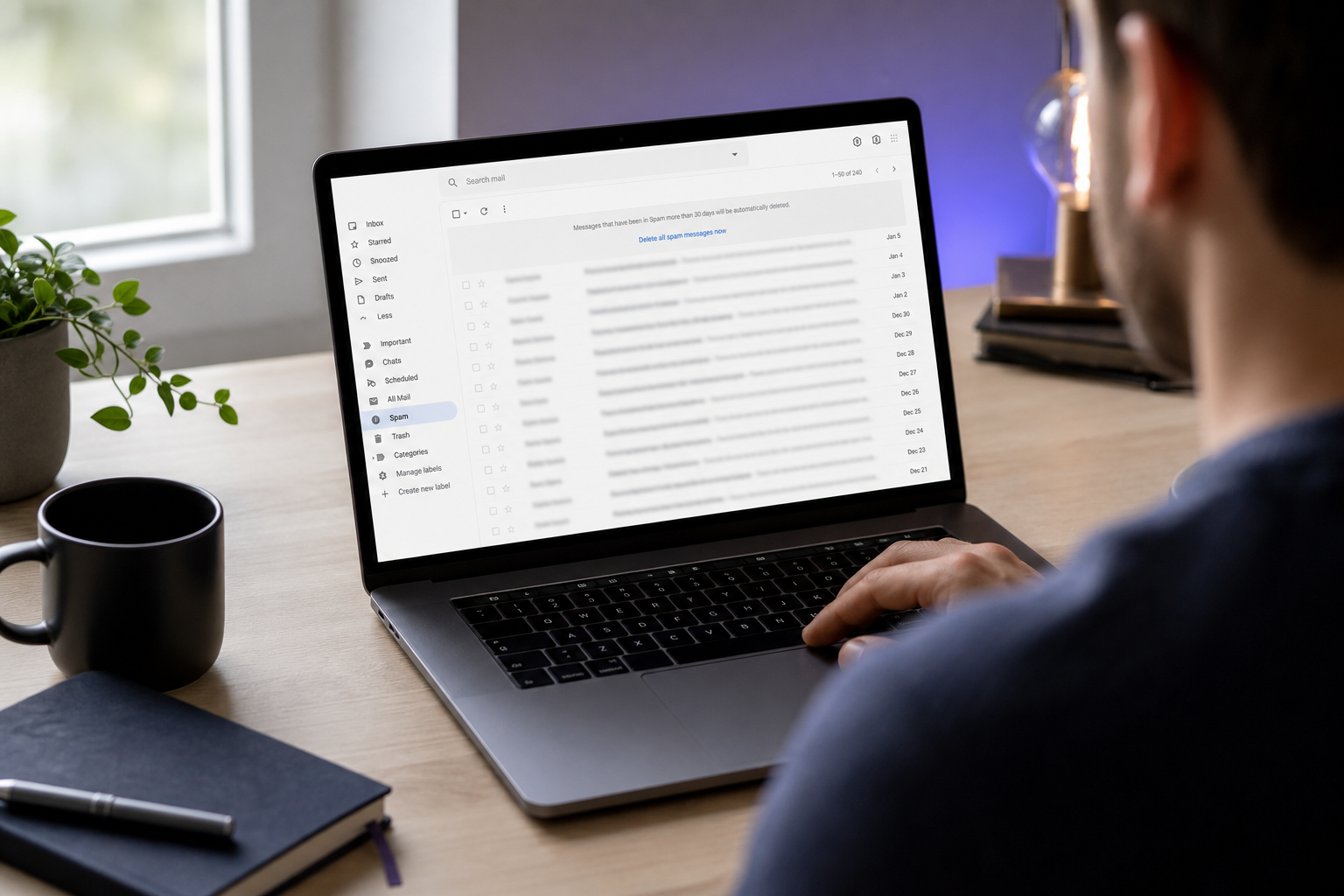
- "I never received the verification email." The four usual causes: spam filter routing, typo at signup, ISP throttling, or ESP queue delay. Check Spam, Promotions, and Updates tabs first — Gmail's tabbed inbox diverts a large share of transactional mail away from the primary view. Wait the full 1–2 minute window per Twilio SendGrid benchmarks before assuming non-delivery. Verify spelling at signup and request a resend. Whitelist MSC's sending domain in advanced filter rules. If you're on a corporate mailbox, ask IT whether external transactional senders are being quarantined — strict Microsoft 365 bulk sender filtering routinely catches legitimate verification mail and holds it for admin review.
- "The verification link expired before I clicked it." Per OWASP Authentication Cheat Sheet guidance and NIST SP 800-63B, single-use verification tokens typically expire in 24–48 hours, and MSC follows that norm. The fix: return to the original signup page or promo landing URL and request a fresh verification email. Don't click the old link — even if it appears to load, the token is either consumed or expired and will produce an error. If your promo deadline is tight (flash sales, expiring Voyagers Club tier upgrades), set a phone reminder for two to four hours after signup so the click happens well inside the window.
- "My email was rejected as invalid or disposable." MSC's validation stack layers syntactic validation (RFC 5322), DNS/MX lookup, and a disposable-domain blacklist — the same layered approach documented across the validation industry, including ZeroBounce, NeverBounce, and BriteVerify. If you used a 10MinuteMail, Guerrillamail, Mailinator, or similar throwaway address, switch to a permanent mailbox. If you used a legitimate but unusual ISP or a corporate catch-all and were still rejected, that's a known false-positive pattern noted by deliverability consultancy Word to the Wise — contact MSC support with the exact address and error text.
Email verification failures are almost always typos, spam-folder misses, or expired links — not system errors. A 30-second address double-check before signup prevents the majority of verification problems.
- "I verified successfully, but the promo discount didn't apply." Verification confirms the address; it does not activate the promo. Promo activation typically requires an additional code at checkout, a minimum cart or booking value, geographic eligibility, or first-time-customer status. Re-read the promo terms in your confirmation email carefully. If terms are met and the discount still doesn't apply, the issue is promo configuration — not email verification — and the ticket should route to MSC's promo or booking support, not the account-verification team. Mixing those tickets often adds 24–48 hours to resolution.
Which Email Types MSC Accepts (and Which Get Auto-Rejected)
The accept/reject logic isn't random. It reflects the economics of promo budget protection and the technical reality of disposable email infrastructure.
ZeroBounce and NeverBounce benchmark reports indicate that 3–7% of addresses submitted through public signup forms come from known disposable or maildrop domains in high-risk verticals like gaming, e-commerce, and crypto. MSC's promo signups land squarely in that high-risk bucket because the financial incentive — discounted cruise bookings, loyalty point boosts, early-access pricing — attracts the same multi-accounting behavior that targets e-commerce coupons.
Disposable email services work technically by issuing auto-generated inboxes that self-delete within hours. Domains like 10MinuteMail, Guerrillamail, Mailinator, EmailDrop, and Temp-Mail leave no recoverable account behind once the timer runs out. A single fraudster can generate hundreds of these to claim per-account promos repeatedly. Security researcher Dr. Markus Jakobsson has documented this pattern in his work on incentive fraud, noting that fraudsters routinely create throwaway identities to exploit promotional structures — and that layered defenses including email verification are essential for preventing abuse.
The legitimate-user case deserves acknowledgment. Electronic Frontier Foundation commentary on email privacy notes that some consumers use disposable addresses to avoid spam and tracking — a defensible privacy choice. MSC's policy weighs promo-budget protection more heavily than that preference, which is a business decision rather than a technical one. For privacy-conscious users, the practical workaround is a dedicated permanent address: a separate Gmail or Outlook account used exclusively for promotional signups. It passes verification because it's a permanent mailbox, even if it isn't your daily-driver address.
Disposable email domains exist to protect your privacy, but MSC's fraud prevention exists to protect their promo budget. The two goals collide — and on MSC's signup form, fraud prevention wins.
Businesses can implement the same rejection logic via APIs — a disposable email address checker flags these domains in real time before they enter the customer database. The check happens in milliseconds and prevents fraudulent signups from consuming downstream resources.
Accept/Reject Matrix by Email Type
| Email Type | Example | MSC Accepts | Why |
|---|---|---|---|
| Personal Gmail / Outlook / Yahoo | name@gmail.com | Yes | Permanent mailbox, tied to identity |
| Corporate domain | name@company.com | Yes | Verified business domain, low fraud risk |
| ISP / broadband email | name@comcast.net | Yes | Tied to active broadband account |
| Apple iCloud / Hide My Email alias | xyz@icloud.com | Yes | Permanent, Apple-authenticated |
| Disposable / temp mailbox | u@10minutemail.com | No | Auto-deletes; flagged by blacklist |
| Free disposable alias service | u@guerrillamail.com | No | Infinitely regenerable; abuse vector |
| Catch-all forwarding domain | anything@mydomain.com | Sometimes | May pass MX check but fail policy heuristics |
The catch-all row is the one worth a second look. Catch-all domains accept any local part at a given domain — useful for personal forwarding setups but indistinguishable from disposable infrastructure at the SMTP layer. MSC's policy heuristics may flag these as conditional, sometimes accepting and sometimes rejecting based on additional signals like domain age and prior signup history.
Pre-Signup and During-Verification Checklist for First-Time Success
Two checklists, run in order, eliminate roughly every failure pattern in Section 3.
Pre-Signup Checklist
- Use a permanent primary mailbox — Gmail, Outlook, iCloud, corporate, or ISP. Not a disposable alias.
- Double-check the email address spelling. Typos at signup are the leading cause of non-delivery, per Experian Data Quality research on data entry error rates.
- Confirm your mailbox isn't full or suspended. Full inboxes generate soft bounces that delay or block verification.
- If using a corporate account, confirm IT isn't quarantining external transactional senders. This is common with strict Microsoft 365 anti-phishing policies — Microsoft's bulk sender guidance documents the filtering behaviors that catch legitimate transactional mail.
- Add MSC's sending domain to your safe-sender list before submitting the signup form.
- Have your email client open in a separate browser tab. Don't rely on phone push notifications, which can be delayed by mobile carrier processing.
- Set a phone reminder for two to four hours post-signup. Click the link well inside the 24–48 hour expiry per OWASP and NIST guidance.
During-Verification Checklist
- Open the verification email within the first few hours of signup, not the last few.
- Click the link directly from the email. Don't copy-paste into the address bar — token URL fragments can corrupt when transferred manually.
- Wait for the confirmation page to fully load before closing the browser tab. Premature closure can interrupt the server-side flag update.
- Screenshot the confirmation screen for proof in case support escalation is needed later.
- Check your inbox for the follow-up confirmation email. It confirms verification and outlines the promo activation conditions in writing.
Baymard Institute checkout UX research shows that verification steps reduce immediate conversion by a few percentage points but increase long-term account quality and repeat engagement. In practice, the 60 seconds of verification friction is the cost of getting your promo to actually work. M3AAWG best practices recommend verification emails arrive within seconds to 1–2 minutes — if yours is delayed beyond five minutes, that's a signal something is wrong (spam filter, wrong address, ISP throttling) and the fastest move is to start the resend process rather than wait longer.
When to Self-Troubleshoot vs. Escalate to MSC Support
Knowing when to escalate cuts resolution time in half. The matrix below maps each failure mode to the right action.
| Problem | Try Self-Help First | Escalate When | Info to Have Ready |
|---|---|---|---|
| Never received verification email | Yes — check spam, wait 5 min, resend | After 2–3 resends fail over 24 hrs | Email address, signup timestamp, screenshots |
| Verification link expired | Yes — request fresh link | Only if resend also expires unused | Original signup email, attempt history |
| Email flagged as invalid/disposable | Partially — try a different mailbox | Multiple legitimate addresses all rejected | Addresses attempted, exact error text |
| Verified but promo didn't activate | Yes — re-read promo terms | Terms are met but discount still missing | Booking number, promo code, verification screenshot |
| Account locked after failed attempts | No — contact support immediately | Before further verification attempts | Account email, error codes shown |
MSC support is reachable through the help center, phone, and (for MSC Cruises) live chat tied to the Voyagers Club account portal. Response time typically runs 24–48 hours for email tickets. Phone is faster for time-sensitive promos with expiring eligibility windows — if your promo window closes inside 48 hours, skip email and call directly.
Support agents can manually verify an address when technical issues persist, but only when you've documented self-help attempts. Arriving with screenshots of spam folders, resend timestamps, and the exact error message text typically reduces resolution from multi-touch to single-touch. Vague reports ("it didn't work") get queued behind documented reports every time.
MSC support resolves verification issues fastest when you arrive with evidence. Screenshots of spam folders, resend timestamps, and the exact error text turn a vague complaint into a one-touch ticket.
One critical distinction: if verification succeeded but the promo discount didn't apply at checkout, that is a promotional terms issue, not an email verification issue. Route it to MSC's promo or booking support specifically — not the account-verification team. Agents in account services often can't override promo eligibility rules, and the misrouted ticket adds a day to resolution.
For locked accounts, stop retrying. Repeated failed verification attempts can trigger additional fraud-prevention holds. The Verizon Data Breach Investigations Report notes that authenticated-phishing risk has trained platforms to lock down accounts aggressively when signal patterns look suspicious — and MSC's systems behave the same way. Stop, document the lockout error, and escalate before the hold tightens.
Securing Your MSC Account and Avoiding Re-Verification Loops
Clearing verification once is the entry ticket. Keeping that verified status stable is what makes every future booking, promo notification, and loyalty update arrive without friction.
Your verified email is your durable identity at MSC. Future logins, booking confirmations, promo notifications, and Voyagers Club point updates all route to this address. Treat it as a long-term asset rather than a one-time form entry. Picking the address you'll actually have access to in three years is more important than picking the address closest to your fingertips today.
Don't change the registered email casually. Updating the address triggers re-verification, which means a fresh 24–48 hour token cycle and a brief window where promo eligibility may pause. If you must change it, do so from the account settings portal — never re-enter a new email at checkout. Re-entering at checkout can create a duplicate account, which fraud-prevention systems flag for review, which can hold up the booking you were trying to complete.
Watch for phishing impersonations. Legitimate MSC verification and promo emails come from MSC's authenticated domain with SPF, DKIM, and DMARC alignment per RFC 7208/6376/7489. But authenticated phishing — where attackers spoof brand identity through lookalike domains — is increasingly common, per the Verizon DBIR. Hover over links before clicking. Inspect the actual destination URL. Verify the sending address character by character: msc.com versus msc-promos.com is a classic lookalike pattern that gets through inattentive scanning. Alyssa Nahatis, Global Deliverability Director at Adobe, has emphasized that transactional verification messages should carry clear branding precisely to reduce phishing confusion — but the reader still has to do the visual check.
Enable mailbox notifications for MSC's sending domain. Time-sensitive promo activations — limited-window discount codes, flash sales for Voyagers Club tiers, last-minute cabin upgrades — can disappear inside hours. A notification rule for MSC's domain ensures you see those messages while they're still actionable rather than the next morning.
Maintain mailbox health. A full inbox or suspended mail account causes future MSC transactional messages to hard-bounce. Per M3AAWG best practices, senders typically suppress addresses after a single hard bounce. That means MSC may stop emailing you entirely — including future promo offers and booking confirmations — until you re-verify a working address. Periodic inbox cleanup is the cheapest insurance against silent suppression.
If your email is compromised, act fast. Change the email password immediately, enable two-factor authentication on the mailbox, and notify MSC's account security team to flag the linked account. A compromised email is the most common path to account takeover because both verification and password-reset flows route through it. Time-to-action matters more than thoroughness in the first hour.
Use a password manager to separate credentials. Your MSC account password should never match your email password. OWASP Authentication Cheat Sheet guidance identifies credential reuse across an email provider and the services verified through it as one of the highest-impact security failures a consumer can make. A single breach at one provider cascades into every account verified through that mailbox.
Long-term: keep MSC's domain on your safe-sender list. This prevents future promo and booking-confirmation emails from getting routed to spam if your provider tightens filtering policies — which Gmail and Microsoft 365 periodically do per their published bulk sender requirements. A safe-sender entry takes 30 seconds and survives every future policy change your provider makes.
The practical framing is simple: the goal isn't just to clear verification once. It's to make sure every future MSC promo, booking, and notification arrives at an address you control, in an inbox that's accepting mail, with you authenticated and ready to act inside the eligibility window. Verification is the gate. Account hygiene is what keeps the gate open.